What is a Bastion Host? — Complete Guide for Secure Access in AWS
Learn what a Bastion Host is, why it is used, and how it secures access to private servers in AWS. A complete guide with real-world examples and best practices.

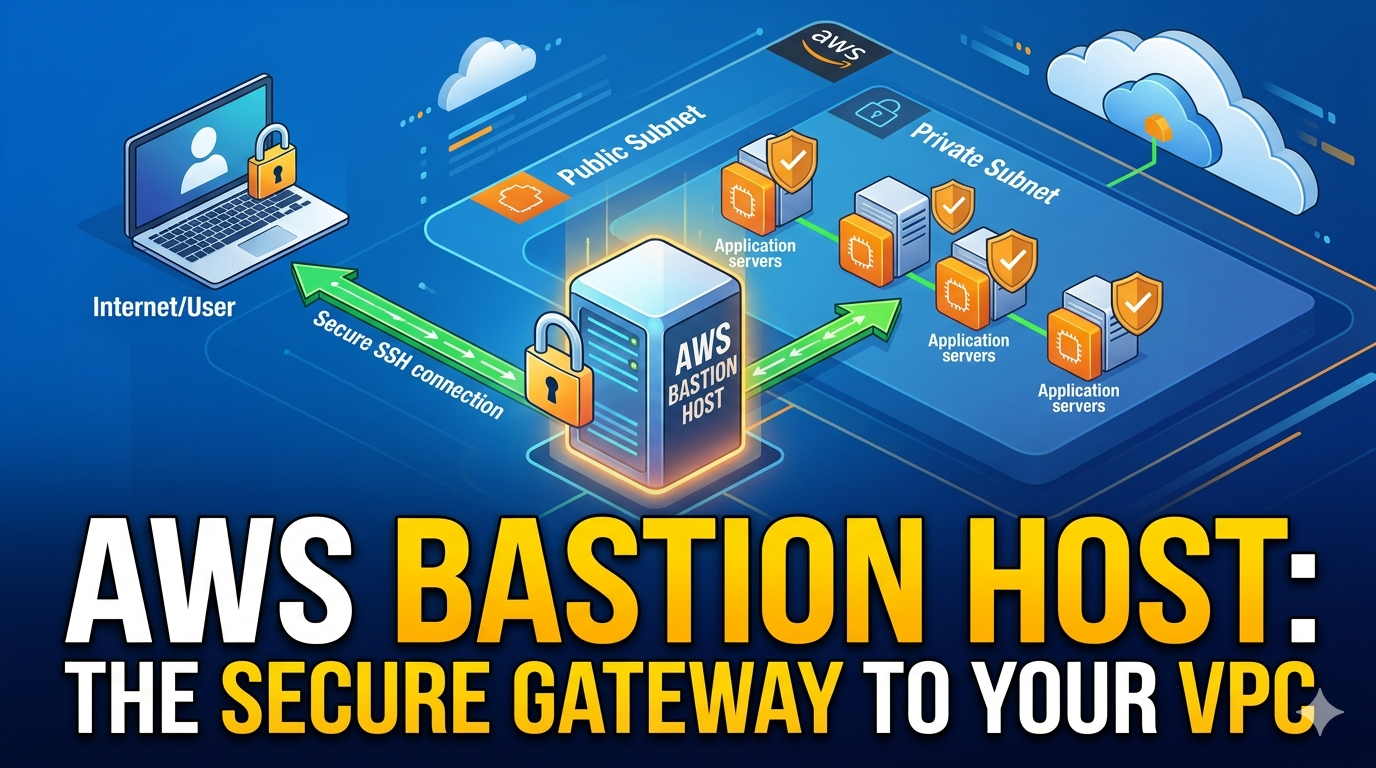
What is a Bastion Host? — Complete Guide
When working with secure cloud architectures, especially in AWS, one of the most important concepts is the Bastion Host. It acts as a secure gateway to access your private infrastructure.
Let’s understand it step by step.
What is a Bastion Host?
A Bastion Host (also called a Jump Server) is a special-purpose server that is placed in a public subnet and is used to securely access servers in a private subnet.
Key Idea:
Instead of exposing all your servers to the internet, you expose only one controlled entry point.
Why Do We Need a Bastion Host?
Directly exposing private servers to the internet is risky.
Problems without Bastion:
- Every server needs a public IP
- Increased attack surface
- Hard to manage access control
Solution:
Use a Bastion Host as a secure gateway.
How Bastion Host Works
Architecture Flow:
- User connects to Bastion Host (via SSH)
- Bastion Host connects to Private Server
- Private servers remain hidden from the internet
User → Bastion Host → Private EC2 Instance
Real AWS Example
Setup:
Public Subnet
- Bastion Host (with Public IP)
Private Subnet
- Application Server (No Public IP)
- Database Server
Access Flow:
- You SSH into Bastion:
ssh -i key.pem ec2-user@<bastion-public-ip>
- From Bastion, SSH into private instance:
ssh ec2-user@10.0.1.10
Security Group Configuration
Bastion Host:
- Allow SSH (port 22) from your IP
Private Instance:
- Allow SSH only from Bastion Host (not from internet)
Advantages of Bastion Host
- Centralized access control
- Reduced attack surface
- No need to expose private servers
- Easier monitoring and logging
Best Practices
- Restrict SSH access to your IP only
- Use key-based authentication (no passwords)
- Enable logging and monitoring
- Use multi-factor authentication (MFA)
- Regularly update and patch the Bastion Host
Bastion Host vs NAT Gateway
| Feature | Bastion Host | NAT Gateway |
|---|---|---|
| Purpose | Secure SSH access | Outbound internet access |
| Public Access | Yes | No direct access |
| Use Case | Admin access | Software updates |
Modern Alternative (Better Approach)
Instead of Bastion Hosts, AWS now recommends:
👉 AWS Systems Manager (Session Manager)
Benefits:
- No need for public IP
- No SSH keys required
- Fully secure and auditable
Simple Analogy
Think of it like a secured office building:
- Bastion Host → Security guard at the gate
- Private Servers → Employees inside
- You must go through security to enter
Final Thoughts
A Bastion Host is a simple but powerful concept for securing your infrastructure:
- One entry point
- Maximum control
- Minimum exposure
If you’re building production systems, this is a must-know concept for DevOps and backend roles.